AI-powered photo editing

Every detail.
Under your control.

Professional-grade editing, powered by AI. Create, refine and deliver your vision — faster than ever.

No credit card required Pro quality results Loved by 50,000+ creators
BeforeAfter

Traditional photo editing

Precision editing, the way photographers expect.

A complete develop module with professional sliders and numerical values. Every change updates the preview live, and nothing ever touches your original file.

  • Exposure, Contrast, Highlights, Shadows, Whites, Blacks
  • Temperature, Tint, Vibrance, Saturation, Auto WB
  • Colour mixer / HSL per channel
  • Texture, Clarity, Dehaze
  • Sharpening with masking, luminance & colour noise reduction
  • Vignette, Grain, Fade, colour grading for highlights & shadows
  • Crop, rotate, straighten, flip, perspective, resize
  • Live histogram & clipping indicators

AI editing

Describe the edit. PhotoPilot does the rest.

Type “brighten the face, remove the yellow cast, make it about 5000K and sharpen the eyes without grain.” AI Develop turns it into exact slider values you can inspect and adjust. When pixels need to change, AI Generative Edit takes over.

  • AI Develop — prompts become parameters, never re-renders your photo
  • AI Generative Edit — object removal, backgrounds, fill, expand
  • Prompt → Preset: save any description as a reusable look
  • AI Auto Enhance analyses each photo independently
  • Style Match — reproduce the look of a reference photo
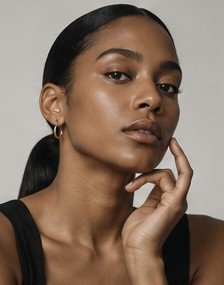
  • Portrait retouching: skin, eyes, teeth, hair, separation

AI Styles

A library of signature looks.

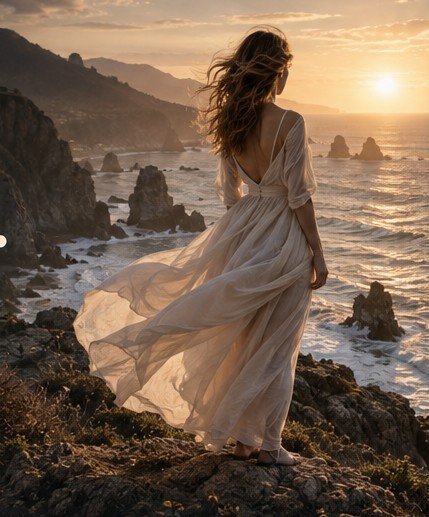
Professional Flash, Golden Hour, Cinematic, Luxury Editorial, Wedding Soft, 35mm Film, Cyberpunk and more — preview, apply, favourite, duplicate and edit them, or create your own from a prompt.

Browse AI Styles

Generative tools

Remove, replace, fill and expand.

Brush over a distraction and it’s gone. Detect the subject and blur, darken, desaturate or replace the background. Fill a selection with a prompt, or extend a portrait into a widescreen frame.

  • Object removal with adjustable brush & mask preview
  • Background: detect, remove, blur, darken, brighten, desaturate, replace, generate, upload
  • Generative fill inside a selection
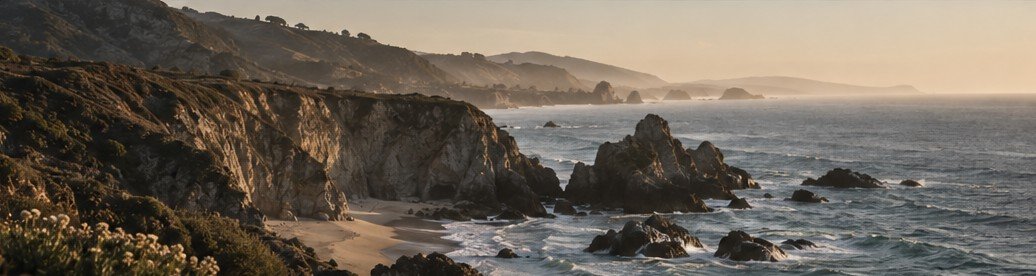
  • Generative expand — 4:5 → 16:9, portrait → landscape, and more
  • Upscale 2×, 4× or custom with realistic detail
  • Photo merge with matched light and colour

Workflow

Built for volume.

Presets, batch processing, albums and a cloud library keep every shoot organised and consistent.

Presets

Apply, create, rename, duplicate, favourite and organise into categories: Portrait, Landscape, Travel, Wedding, Cosplay, Film, B&W, Cinematic.

Batch processing

Apply a preset or AI prompt to hundreds of photos, resize them by width, height, percentage, longest edge or megapixels, and export in one go.

Albums

Group photos into albums, set covers, reorder, add from selection and share later.

Cloud library

Grid and list views, search, sort, filters, star ratings, favourites, tags, AI tags and full metadata.

Before / after comparison

Original, edited, vertical and horizontal split, side-by-side and hold-to-view-original with a draggable divider.

Export tools

JPG, PNG and WebP with adjustable dimensions and quality, colour-managed from the full-resolution original.

Non-destructive editing

Every edit is a parameter set or an AI layer on top of your untouched original, with full history, undo/redo and versions.

Modular architecture

Swap AI providers, storage, authentication and payments through adapters — no rewrite required.
Ready when you are

Start with your next photo.

Free to start. No credit card. Your originals stay yours.

Start creating